
Most tutorials teaching you how to build a Retrieval-Augmented Generation (RAG) system follow a predictable, flawed recipe. They tell you to spin up a quick Python script, load a pdf file, chop the text into 1,000-character blocks, and dump it into a database.
If you are building a tool to search through hundreds of deep, multi-page technical manuals, academic papers, or legal documents, that naive approach fails immediately. You ask your chatbot a question, it gives you a vague answer, and when you ask it for the exact source page, it hallucinates.
Building a production-grade personal RAG pipeline requires a shift in how you handle data ingestion. To achieve precise, verifiable results, you need an architecture that treats structural layout as a first-class citizen, leveraging optimized metadata along with vector search to map queries directly to exact source coordinates.
The Structural Failure of Standard PDF Ingestion
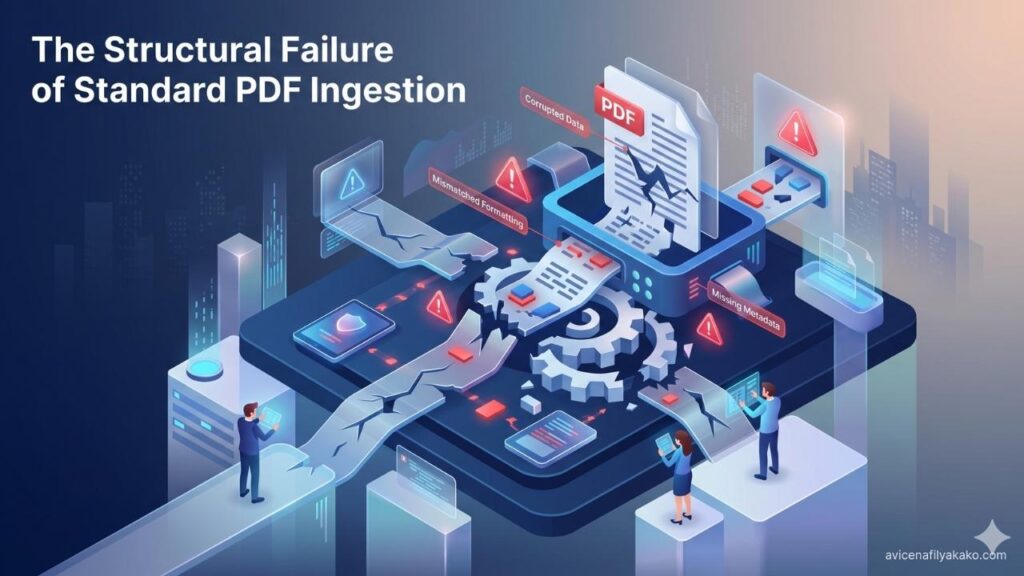
A pdf file is notoriously difficult to parse because it was designed for visual presentation, not machine readability. It does not natively understand paragraphs, tables, or sections; it understands characters positioned at specific absolute coordinates on a canvas.
When you use a generic text splitter, you break sentences across arbitrary boundaries. Even worse, you lose the page-level context. If page 14 contains a crucial table header and page 15 contains the data rows, a standard character-based chunking strategy separates them, destroying the semantic relationship.
To solve this, your ingestion pipeline must be page-aware. You need to extract text on a page-by-page basis and explicitly inject structural metadata—such as document title, chapter, page number, and paragraph index—into every single chunk before generating embeddings.
Architecture of a Page-Aware PDF RAG Pipeline
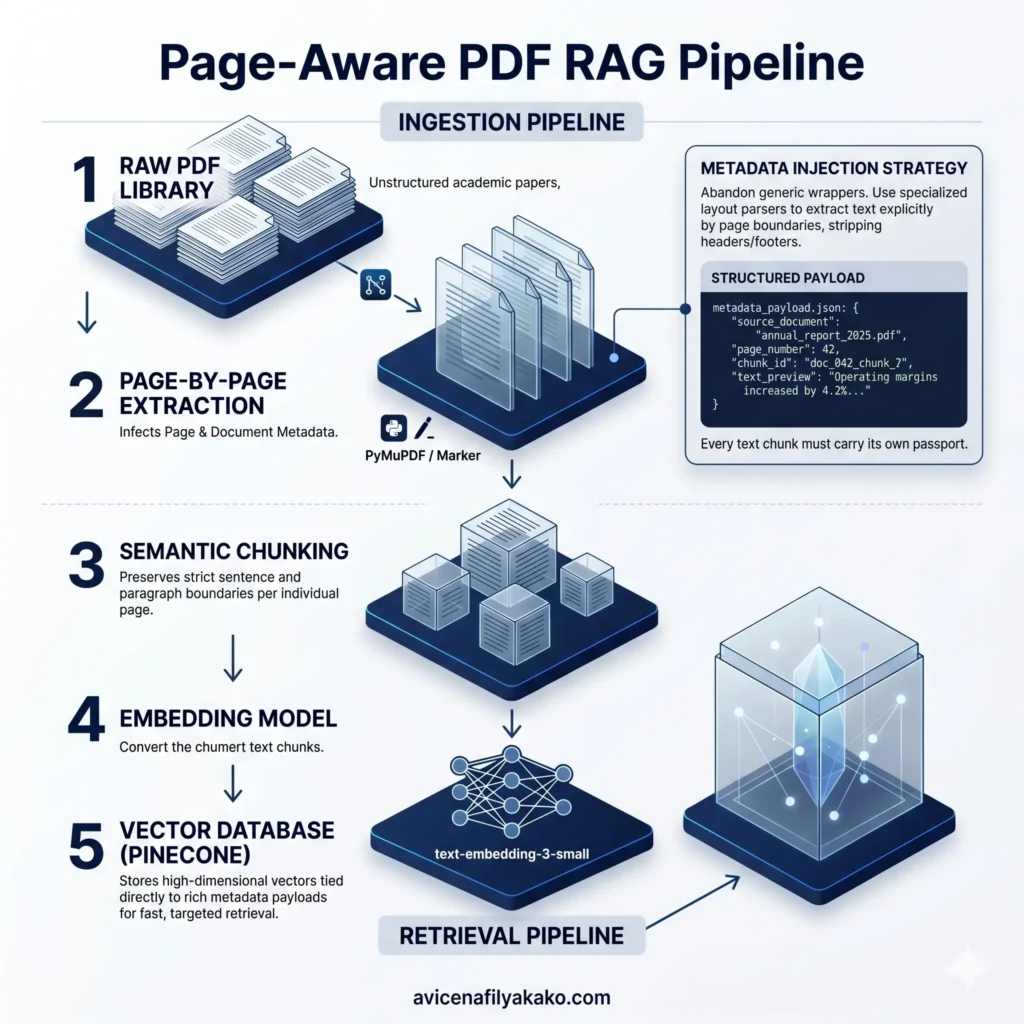
A robust personal RAG system separates ingestion from retrieval. Instead of relying on monolithic frameworks that hide the underlying mechanics, you should build a modular pipeline that gives you granular control over text extraction and chunk formatting.
Page-Aware RAG Pipeline Architecture
PyMuPDF / Markertext-embedding-3-small1. Document Extraction and Preprocessing
Abandon generic wrappers. Use libraries like PyMuPDF (Fitz) or specialized layout parsers like Marker to extract text explicitly by page boundaries. Your script should iterate through the document, pulling text cleanly while stripping out irrelevant artifacts like running headers or footers that pollute your embeddings.
2. Metadata Injection Strategies
Every text chunk must carry its own passport. When saving a text snippet, append a structured metadata object to it. For a reliable setup, your metadata payload should look like this:
3. Choosing the Right Vector Database
For a personal setup that scales smoothly without local infrastructure overhead, Pinecone offers a managed, low-latency environment for indexing text vectors. By storing your metadata alongside the vector representations, you can perform highly targeted queries. For instance, you can restrict a search to look only within a specific document or a specific range of pages using metadata filtering during your vector search phase. If you want to take your retrieval strategy a step further by connecting these documents conceptually, you can discover how to build a personal AI knowledge graph using Obsidian to map non-linear relationships between your data points.
Step-by-Step Implementation for Verifiable Search
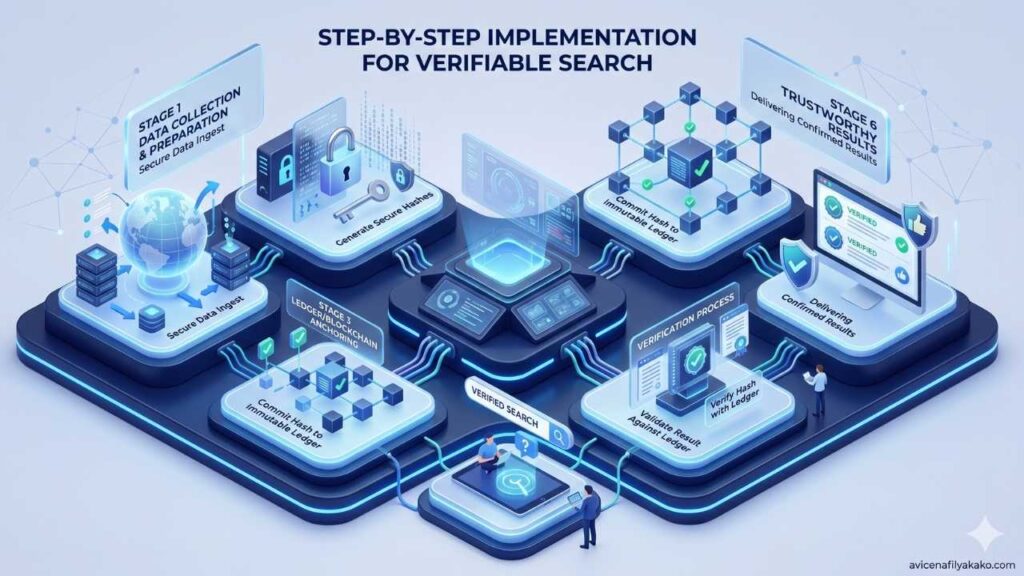
To implement this, we can look at proven architectures for advanced retrieval. Developers frequently build highly granular extraction steps to combat loss of context; for example, engineering workflows often rely on building a page-level PDF processing pipeline for smarter RAG systems to ensure that structural data remains intact during indexation.
Here is how you can set up the core processing loop in Python:
Once chunks are generated, you pass the text strings to an embedding model—such as OpenAI’s text-embedding-3-small or an open-source alternative like bge-large-en-v1.5—to convert the raw words into high-dimensional geometric vectors. These vectors are then upserted into Pinecone.
Evaluating Your Retrieval Strategy

When a user submits a query, your system converts that query into an embedding and runs a vector search against your database. Pinecone compares the mathematical distance between the query vector and your stored document vectors, returning the top K most similar items.
| Retrieval Approach | Match Accuracy | Implementation Effort | Citation Precision |
|---|---|---|---|
| Naive Character Splitting | Moderate | Very Low | Poor (No page tracking) |
| Page-Aware Processing | High | Moderate | Perfect (Exact page matching) |
| Hierarchical Parent-Child | Very High | High | Excellent (Refined paragraph matching) |
While parent-child indexing—where small chunks link back to larger parent pages—offers excellent accuracy, a page-aware processing model strikes the perfect balance for personal use. It gives you precise citations without requiring complex, multi-layered database management. For deep-dive architectural patterns on structuring these knowledge bases effectively, you can reference this comprehensive guide on how to build a RAG knowledge base.
Citation Enforcement: Fixing LLM Hallucinations

Having the page numbers inside your vector database is only half the battle. You must explicitly force the downstream Language Model (LLM) to use them. If you don’t adjust your prompt engineering, the model will ignore the metadata payloads entirely.
When constructing the context block for your LLM prompt, format the retrieved vector search results with clear, unambiguous labels:
Plaintext
By binding the structural source metadata directly to the text snippet inside the prompt window, you prevent the model from guessing where a piece of information lived. This turns your personal chatbot from an unpredictable guesser into a verifiable, localized search engine.
Scaling Your Personal PDF Library

As your library grows from dozens to thousands of documents, look to optimize cost and speed. You can implement local embedding generation using libraries like Hugging Face’s sentence-transformers to eliminate per-token API costs. To handle this influx of materials efficiently before indexing, you can set up an automated reading list with an AI summarizer to automatically digest and filter incoming papers.
Additionally, remember to implement localized caching. If you frequently query the exact same concepts, caching your vector search results locally can bypass cloud lookups entirely, saving API overhead and dropping response times down to milliseconds.
Frequently Asked Questions
What is vector search in a RAG system?
Vector search is a retrieval technique that matches user queries to document snippets based on semantic meaning rather than exact keyword matches. By converting text into high-dimensional numerical vectors, the system identifies conceptual similarities, allowing it to find relevant information even when different wording is used.
How do I handle scanned PDFs in a personal RAG pipeline?
Scanned PDFs must pass through an Optical Character Recognition (OCR) engine like Tesseract or docTR before entering your ingestion pipeline. If a document consists of raw images rather than selectable text strings, standard extraction scripts will return empty pages, completely bypassing your embedding generation step.
Can Pinecone handle metadata filtering for specific PDF files?
Yes, Pinecone allows you to attach key-value pairs as metadata to your vectors and apply SQL-like filters during a query execution. This means you can instantly narrow down your search space to a single book, a specific publication year, or a designated subset of documents within your broader collection.
Disclaimer: The information provided in this article is for educational and general informational purposes only and should not be construed as professional advice (such as legal, medical, or financial). While the author strives to provide accurate and up-to-date information, no representations or warranties are made regarding its completeness or reliability. Any action you take based on this information is strictly at your own risk.