Most productivity advice tells you that time blocking is the ultimate antidote to a chaotic workday. You sit down on Sunday, slice your week into neat, color-coded rectangles, and assume you have conquered your to-do list.
Then Monday happens. A client call runs long, an urgent bug requires immediate attention, and your beautiful time scheduling layout shatters by 11:00 AM.
AI-powered calendar tools promise to fix this by automatically reshuffling your day when things go wrong. But if you hand complete control over to an algorithm, you quickly discover a deeper problem: AI optimizes for math, not human stamina. It populates every spare millimeter of your day, leaving you with a hyper-efficient calendar that guarantees burnout.
True calendar optimization requires a systematic approach. You must train the AI to respect your energy management, not just your availability.
Why Traditional Time Blocking Fails in Practice
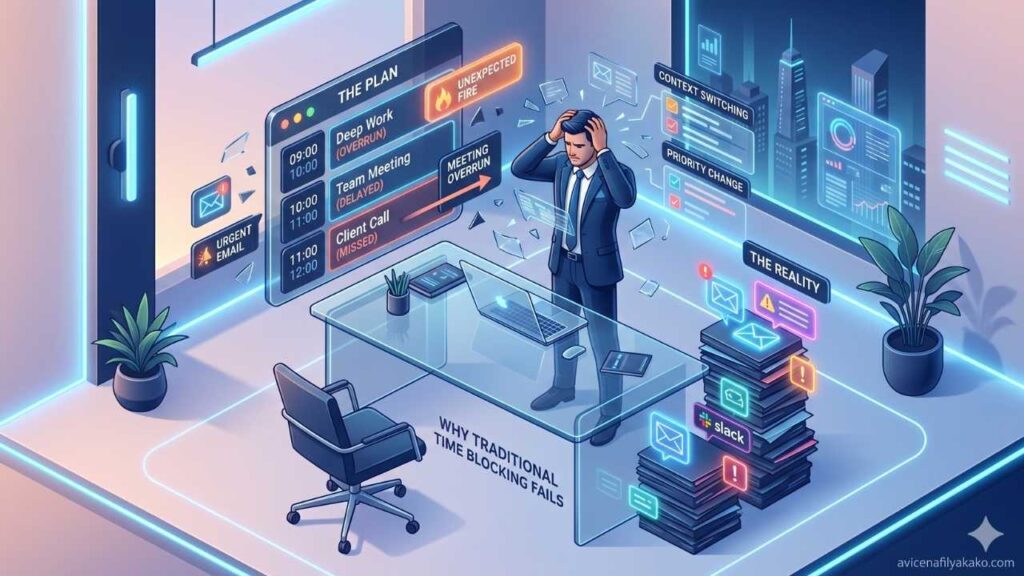
Traditional time blocking treats your day like a static spreadsheet. You allocate two hours for deep work, one hour for administrative tasks, and thirty minutes for email. This method assumes your energy and focus remain completely flat from 9:00 AM to 5:00 PM.
It ignores human biology. A 2023 study published by the National Center for Biotechnology Information (NCBI) on circadian rhythms highlights how cognitive performance fluctuates predictably throughout the day based on endogenous biological clocks. When you schedule high-leverage strategic thinking during a natural afternoon energy trough, you are fighting your own biology.
When you layer standard AI tools on top of a flawed framework, the tool simply automates the chaos. The algorithm sees an open slot at 4:30 PM and schedules a complex project review there because, technically, you are “free.”
The Three Pillars of Algorithmic Scheduling
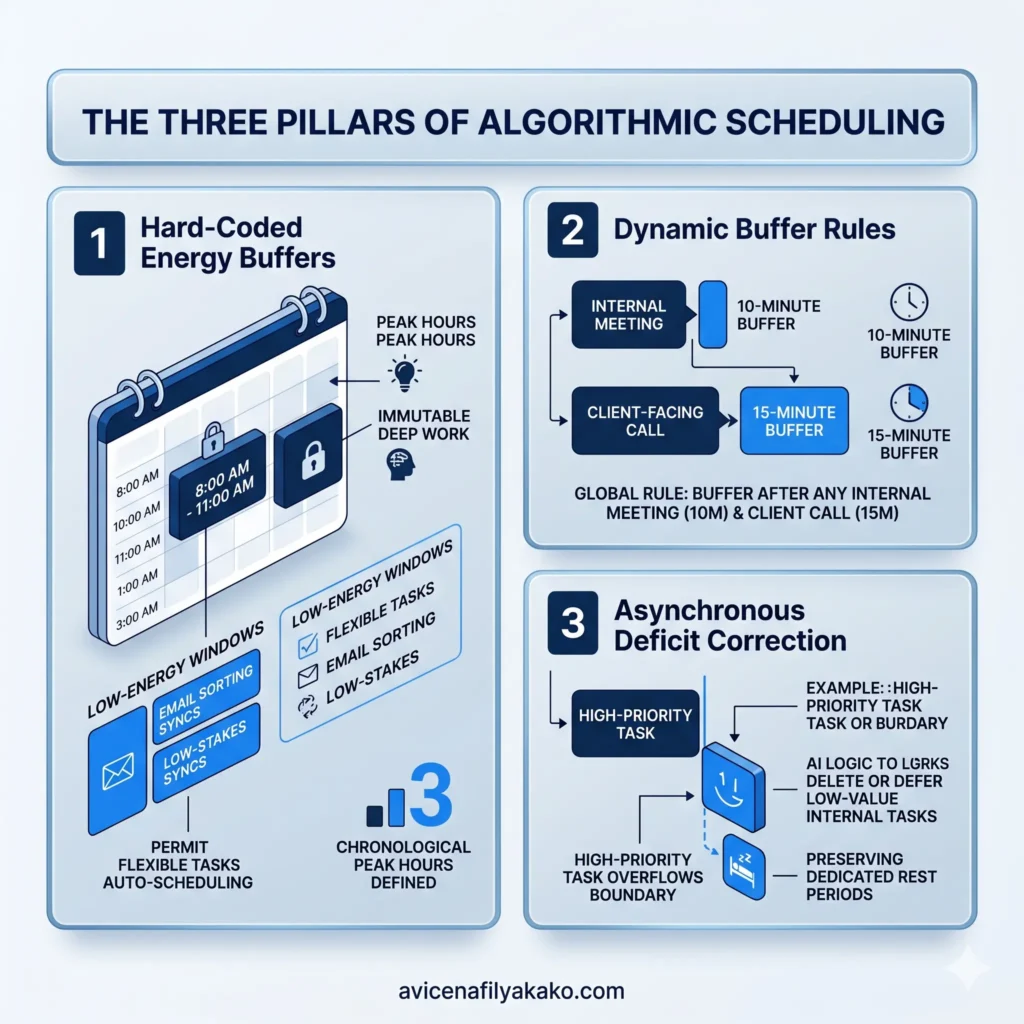
To make AI calendar optimization work, you must transition from reactive scheduling to algorithmic guardrails. This requires configuring your software around three non-negotiable vectors.
1. Hard-Coded Energy Buffers
You must explicitly define your chronological peak hours within your scheduling tool. If your highest cognitive output occurs between 8:00 AM and 11:00 AM, that block must be locked down as immutable deep work. The AI should only be permitted to auto-schedule flexible tasks, like routine email sorting or low-stakes syncs, during your known low-energy windows.
2. Dynamic Buffer Rules
An algorithm will naturally stack meetings back-to-back if you let it. You need to establish a global rule within your software that forces a 10-minute buffer after any internal meeting and a 15-minute buffer after client-facing calls. This prevents the compound fatigue that ruins afternoon productivity.
3. Asynchronous Deficit Correction
When a high-priority task overflows its boundary, the AI shouldn’t just shove it to the next open slot. It needs to be programmed to look for low-value internal tasks to delete or defer, preserving your dedicated rest periods.
Static vs. AI-Driven Time Scheduling

Choosing the right approach depends on the complexity of your daily schedule. Here is how traditional manual methods stack up against intelligent auto-scheduling frameworks.
| Feature / Capability | Manual Time Blocking | AI-Driven Auto-Scheduling |
|---|---|---|
| Rescheduling Friction | High. You must manually drag, drop, and resolve conflicts when a task overflows. | Zero. The algorithm automatically recalibrates the remaining day in real-time. |
| Context Switching Protection | Poor. Relies entirely on your personal discipline to avoid checking email. | High. Groups similar tasks together and blocks distracting notifications. |
| Meeting Coordination | Slow. Requires back-and-forth emails or rigid static booking links. | Dynamic. Analyzes both parties’ calendars to find optimal energy-aligned slots. |
| Energy Management | Blind. Treats an hour at 9:00 AM exactly the same as an hour at 4:00 PM. | Adaptive. Learns your behavioral patterns and places complex work in peak performance windows. |
How to Set Up an AI Time Blocking System

Building a resilient calendar ecosystem requires connecting your task architecture to an automated engine. Platforms like Reclaim, Motion, and Clockwise handle the heavy lifting, but the configuration determines your success. Reviewing industry evaluations of the best AI scheduling tools on Retell AI can help you select a platform that fits your workflow.
Workflow Automation Architecture
Your Master To-Do List
1 Define Task Parameters
Duration • Deadline • Energy Required
2 AI Smart Scheduling Engine
Checks Calendars • Applies Buffer Rules
✓ Optimized View
Optimized, Adaptive Calendar View
Follow this step-by-step framework to configure your system:
Step 1: Centralize Your To-Do List
An AI calendar cannot optimize what it cannot see. You must sync your primary task manager with your scheduling engine. If you want full control over how your tasks sync, you can choose to build a personal AI assistant using Python or no-code tools to bridge the gaps between your apps. Otherwise, if your tasks live scattered across notebooks, Slack messages, and project boards, the algorithm will continuously schedule meetings over work you actually need to execute.
Step 2: Assign Metadata to Every Task
Stop giving tasks simple names like “Write report.” For the AI to sequence your day effectively, every item requires three specific variables:
- Duration: A realistic estimation of the time required (always add 15% as a buffer).
- Urgency: The hard deadline after which the task becomes obsolete.
- Energy Level: Classify the task as High, Medium, or Low cognitive intensity.
Step 3: Configure External Meeting Boundaries
Do not allow external booking links to access your entire day. Use your platform configuration to restrict guest scheduling to specific windows—such as Tuesday and Thursday afternoons. This leaves your Mondays and Wednesdays completely clear for uninterrupted execution. You can explore how deep integrations automate this process via Zapier’s analysis of AI scheduling workflows.
Step 4: Run a Weekly Calibration Audit
Every Friday afternoon, review how your calendar performed. Did the AI schedule a high-intensity task during your post-lunch slump? Did it provide enough buffer room between consecutive client meetings? Tweak the underlying software rules weekly until the automated output matches your actual physical capacity.
Frequently Asked Questions
How does AI calendar optimization differ from standard calendar apps?
Standard calendar apps are passive digital planners that require you to manually input, move, and manage every single entry. AI calendar optimization actively calculates your task priorities, deadlines, and preferences to automatically build and adjust a fluid schedule on your behalf.
Will AI scheduling tools completely eliminate my control over my day?
No, because you retain total authority over the underlying rules and parameters that govern the algorithm. The software only automates the tedious mechanics of rescheduling and sorting; it still requires you to define your working hours, preferred meeting blocks, and project priorities.
What happens if an unexpected meeting disrupts my AI-blocked schedule?
The scheduling engine instantly recognizes the new conflict and automatically shifts your remaining flexible tasks into the next available optimal slots. It resolves the logistical overlap without requiring you to manually rearrange your entire afternoon line-up.
The Operational Reality
Handing your schedule over to automation is not about working more hours. It is about protecting the limited focus you have available each day.
If you let an algorithm run wild without constraints, it will build a prison of back-to-back tasks. But if you program it to guard your peak energy windows and force mandatory recovery buffers, you turn your calendar into a defensive shield against distractions. Start by automating just your afternoon administrative tasks, audit the results, and scale the automation as your confidence grows. To further maximize your efficiency, it is highly beneficial to map out structured AI skill acquisition learning paths that help you master workflow automation and advanced prompting frameworks.
Disclaimer: The information provided in this article is for educational and general informational purposes only and should not be construed as professional advice (such as legal, medical, or financial). While the author strives to provide accurate and up-to-date information, no representations or warranties are made regarding its completeness or reliability. Any action you take based on this information is strictly at your own risk.