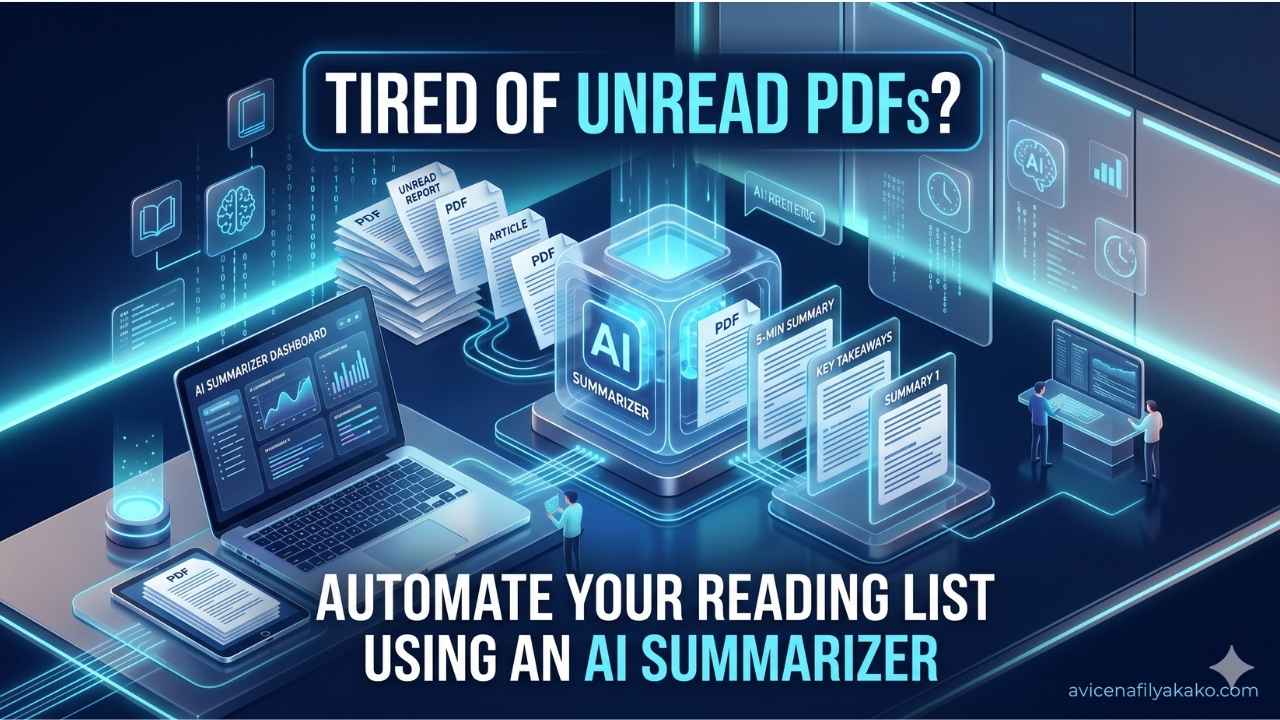
Staying on top of a mounting reading list usually feels like a losing battle. If your queue is filled with academic papers, technical documentation, or deep-dive industry reports, the problem isn’t just a lack of time. It is format friction.
Most workflow automation tutorials tell you to plug an RSS feed into a standard LLM prompt and call it a day. That breaks down immediately when you confront a 30-page document filled with multi-column text, charts, and dense citations.
To solve this, I built a programmatic pipeline that handles everything from discovery to synthesis. By pairing robust document analysis with an AI Summarizer, you can transform a chaotic pile of unread PDFs into an organized, searchable knowledge base. Here is exactly how to build it, where the hidden technical traps lie, and how to fix them.
[ArXiv / Web Sources] ──> [PDF Parsing / Marker] ──> [AI Summarizer Pipeline] ──> [Notion / Obsidian]
The Structural Problem with Standard PDF Parsing
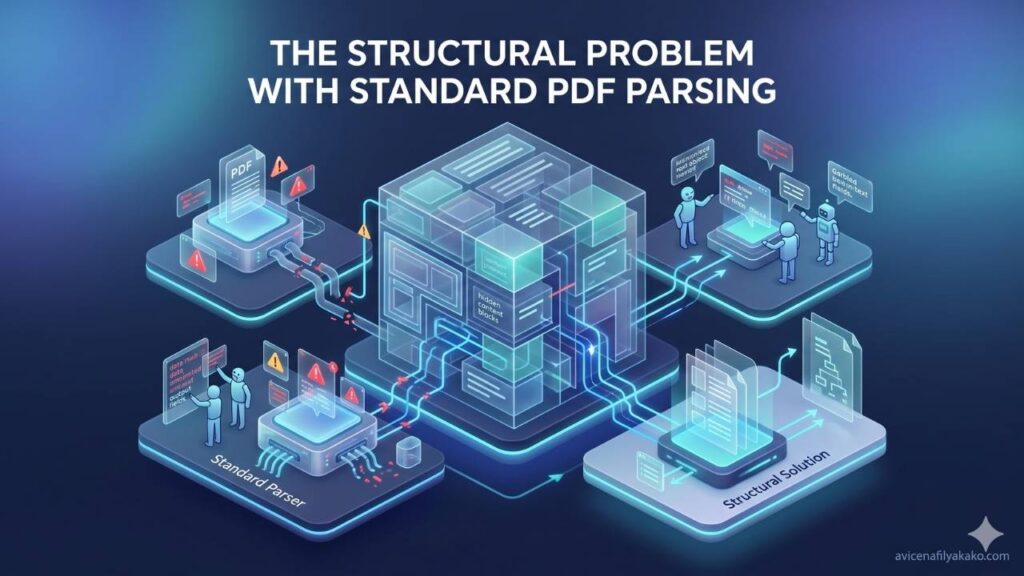
You cannot feed a raw PDF directly into an LLM and expect a high-fidelity summary. PDFs are visual layout engines, not semantic text formats. They store text as absolute coordinates on a page, meaning a dual-column layout reads left-to-right across columns if you extract it naively. Headers, footers, page numbers, and image captions get spliced directly into the middle of sentences.
If your data ingestion is messy, your summary will be flawed. Garbage in, garbage out.
To fix this, your automation pipeline must use dedicated library processing before hitting the AI layer. I use open-source tools like Nougat or Marker to convert PDFs into structured Markdown. These tools recognize mathematical formatting, preserve table structures, and strip out annoying running headers automatically.
Once the layout is clean, the text is ready for contextual analysis.
Building the Automated Ingestion Pipeline
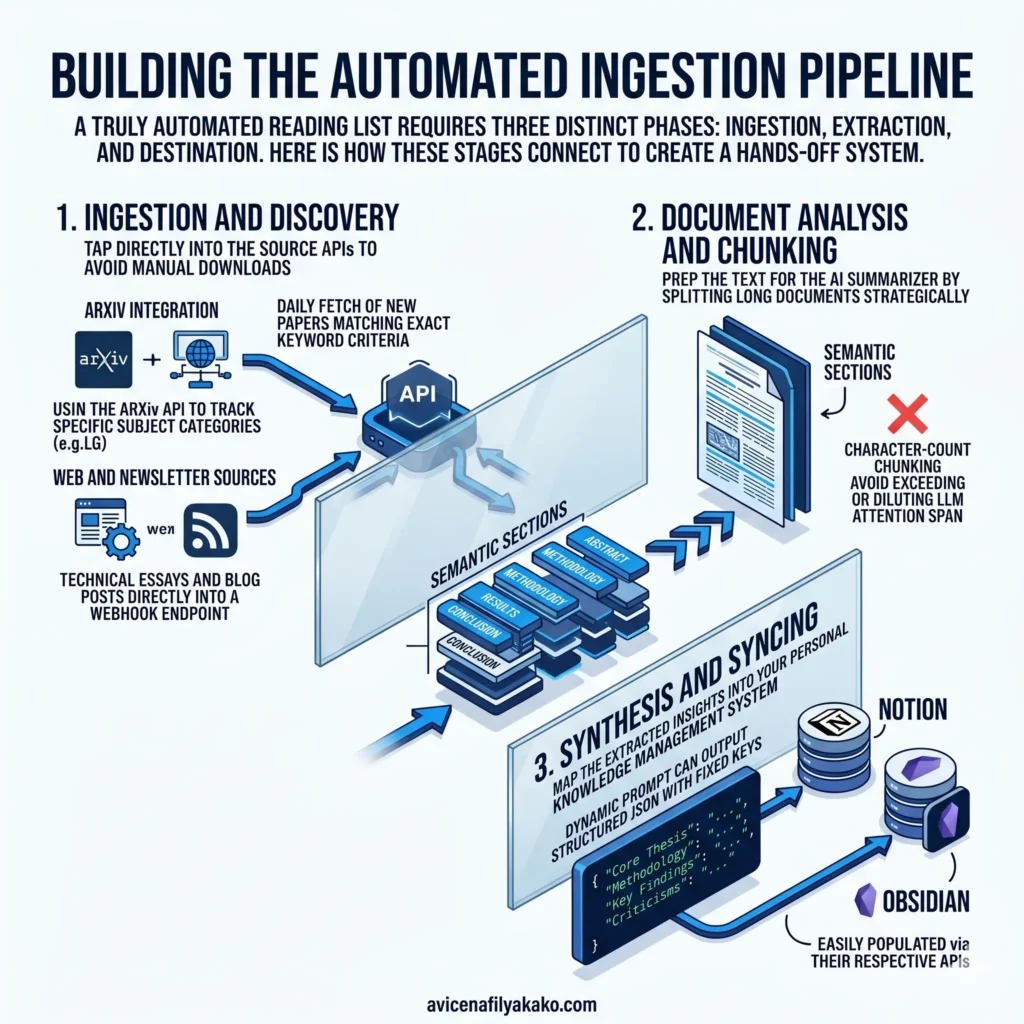
A truly automated reading list requires three distinct phases: ingestion, extraction, and destination. Here is how these stages connect to create a hands-off system.
1. Ingestion and Discovery
Manually downloading files defeats the purpose of automation. For technical and research papers, tap directly into the source APIs.
- ArXiv Integration: Use the ArXiv API to track specific subject categories (like
cs.LGfor Machine Learning). You can script a daily fetch of new papers matching your exact keyword criteria. - Web and Newsletter Sources: Use web scrapers or RSS integration tools to pull technical essays and blog posts directly into a webhook endpoint.
2. Document Analysis and Chunking
Once you grab the file, the text must be prepped for the AI Summarizer. Because long documents can exceed or dilute an LLM’s attention span, splitting the text strategically is critical. Instead of character-count chunking, split the document by its actual semantic sections (e.g., Abstract, Methodology, Results, Conclusion).
3. Synthesis and Syncing
The final step maps the extracted insights into your personal knowledge management system. Rather than generating a single block of text, configure your prompt to output structured JSON with fixed keys: Core Thesis, Methodology, Key Findings, and Criticisms. This structured data easily populates databases like Notion or Obsidian via their respective APIs. If you want to take this a step further and interact with your compiled documents, you can learn how to build a personal RAG framework for PDF library search to query your entire knowledge base using natural language.
Tool Evaluation: Choosing Your Ingestion Stack

Not all summarization setups are equal. Depending on your technical comfort level and budget, you will need to choose between specialized research tools and custom programmatic pipelines.
| Tooling Approach | Best For | PDF Parsing Quality | Customizability |
|---|---|---|---|
| Custom Python (Marker + Claude API) | Deep technical analysis, ArXiv papers, complex math | Excellent (handles formulas and multi-column layouts) | Total control over prompts and database schemas |
| Specialized AI Research Apps | Fast academic literature reviews, citation mapping | High (built specifically for research papers) | Limited to the platform’s UI and built-in export options |
| No-Code Automation (Make + Notion AI) | Standard web articles, business PDFs, newsletters | Low to Moderate (struggles with complex formatting) | Moderate (easy to link to varied apps) |
If you prefer a pre-built platform rather than coding a custom solution from scratch, specialized tools offer tailored parsing features. For instance, reviewing the 5 best AI tools for reading research papers highlights platforms that extract key facts and build interactive flashcards directly from academic layouts.
Conversely, if you want your reading list to live entirely within an existing workspace, you can explore native integrations. Setting up workflows like the 5 ways to get more value out of your reading list with Notion AI allows you to summarize, tag, and auto-populate properties without leaving your dashboard.
Crafting the Prompt for Technical Synthesis

The biggest mistake people make with an AI summarizer is using a lazy prompt like “Summarize this text.” That yields a generic, high-school-level book report.
To extract real value from dense documents, your prompt must force the model to look for structural integrity, logical gaps, and specific data points. Here is a production-grade prompt template for engineering and research summaries:
You are an expert technical reviewer. Analyze the attached markdown document and provide a structured synthesis based strictly on the text provided.

Format your response using these exact headers:

### 1. The Core Argument
State the primary thesis or problem being solved in under 3 sentences.

### 2. Methodology & Architecture
Break down the exact technical approach, framework, or experimental setup used. Use bullet points.

### 3. Key Quantitative Findings
Extract specific metrics, data points, or performance gains mentioned. Cite the exact figures.

### 4. Methodological Limitations & Blindspots
Identify what the authors admit they missed, or areas where their assumptions seem weak.
By explicitly asking for limitations and quantitative data, you prevent the model from generating vague fluff. You get the exact signal you need to decide if the paper warrants a full, deep read.
Scaling the System Without Burning Cash

Running every single paper through a massive context-window model gets expensive quickly. A smart content strategy relies on tiered processing.
▼
▼
Don’t use your most expensive model for the initial triage. Use a smaller, faster model to scan the abstract or introduction first. Have it output a simple binary relevance score (0 or 1) based on your current interests. If the paper scores a 1, route it to your deep parsing engine and premium model for a comprehensive summary. If it scores a 0, archive it.
This two-tier filter keeps your API costs negligible while ensuring your knowledge base remains incredibly high-signal.
Frequently Asked Questions
Can AI summarize a whole book?
Yes, but processing an entire book requires chunking the text by chapters or using long-context models to avoid losing fine-grained details. If you feed a massive book into a standard context window all at once, the model will suffer from “needle in a haystack” syndrome and omit crucial nuances from the middle chapters.
What is the best format for AI summarization?
Markdown is the best format for AI summarization because it clearly preserves document hierarchies like headers, bullet points, and tables without visual noise. Converting raw PDFs or HTML pages into clean Markdown before processing drastically improves the accuracy of the summary.
Is using an AI summarizer secure for private documents?
Security depends entirely on the API terms of your chosen AI provider. Most enterprise APIs guarantee that your data is not used to train future models, whereas free consumer interfaces often retain your text for model improvement. Always check the data privacy policy before uploading proprietary reports or sensitive financial documents.
Actionable Next Steps
Building this automation completely changes how you consume information. Instead of feeling guilty about an exploding list of tabs, you open a clean workspace every morning filled with highly structured, searchable synopses.
To start building your own system:
- Set up an automated collector for your reading materials using an RSS feed or API.
- Run your documents through a dedicated markdown parser rather than raw text extractors.
- Apply a structured, adversarial prompt to get the exact technical data points you need.
Mastering these automated pipelines is just one part of thriving in an AI-driven environment. To systematically accelerate your technical capabilities, explore our structured AI skill acquisition learning paths designed to help you master LLM orchestration and advanced workflows. Stop reading sequentially and start analyzing structurally.”
Acknowledgement & Reference
This automation framework relies on standard programmatic ingestion design principles. For verified benchmarks regarding model performance on structured data extraction, see the 2024 Document Intelligence Review published by the International Association for Pattern Recognition (IAPR), which details error rates in multi-column PDF text extraction across commercial LLM engines.
Disclaimer: The information provided in this article is for educational and general informational purposes only and should not be construed as professional advice (such as legal, medical, or financial). While the author strives to provide accurate and up-to-date information, no representations or warranties are made regarding its completeness or reliability. Any action you take based on this information is strictly at your own risk.