You’ve likely been there: scouring through a messy “Prompts_Final_v3_OLD.docx” file, trying to remember why the AI was performing better last Tuesday. As generative AI moves from a hobbyist’s playground to a core business function, treating your prompts like casual text is a recipe for technical debt.
To build reliable AI applications, you must treat your prompts like source code. By applying version control to your prompt engineering workflow, you transform a chaotic “trial and error” process into a disciplined, repeatable engineering practice.
Why Version Control is the Backbone of Prompt Engineering
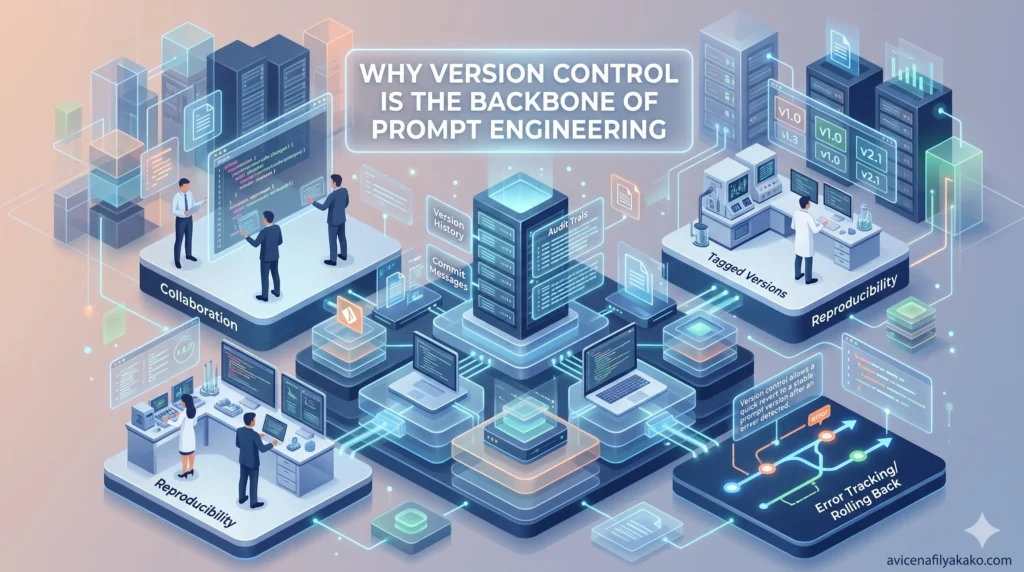
In software development, we don’t just overwrite code and hope for the best; we track every change. Version control offers that same safety net for LLM instructions. When you change a single word in a prompt, the model’s output can shift drastically. Without a history of those changes, you lose the ability to roll back when things go south.
As Andrej Karpathy once noted, “The hottest new programming language is English.” If English is the code, then Git is the compiler that ensures your instructions remain stable over time.
The Risks of “Prompt Drift”
Without a standardized version control system, you face “prompt drift.” This happens when small, untracked tweaks accumulate until the system no longer meets its original testing benchmarks. Standardizing this process ensures that every stakeholder—from developers to product managers—knows exactly which version is live in production.
Implementing Git for Prompt Management
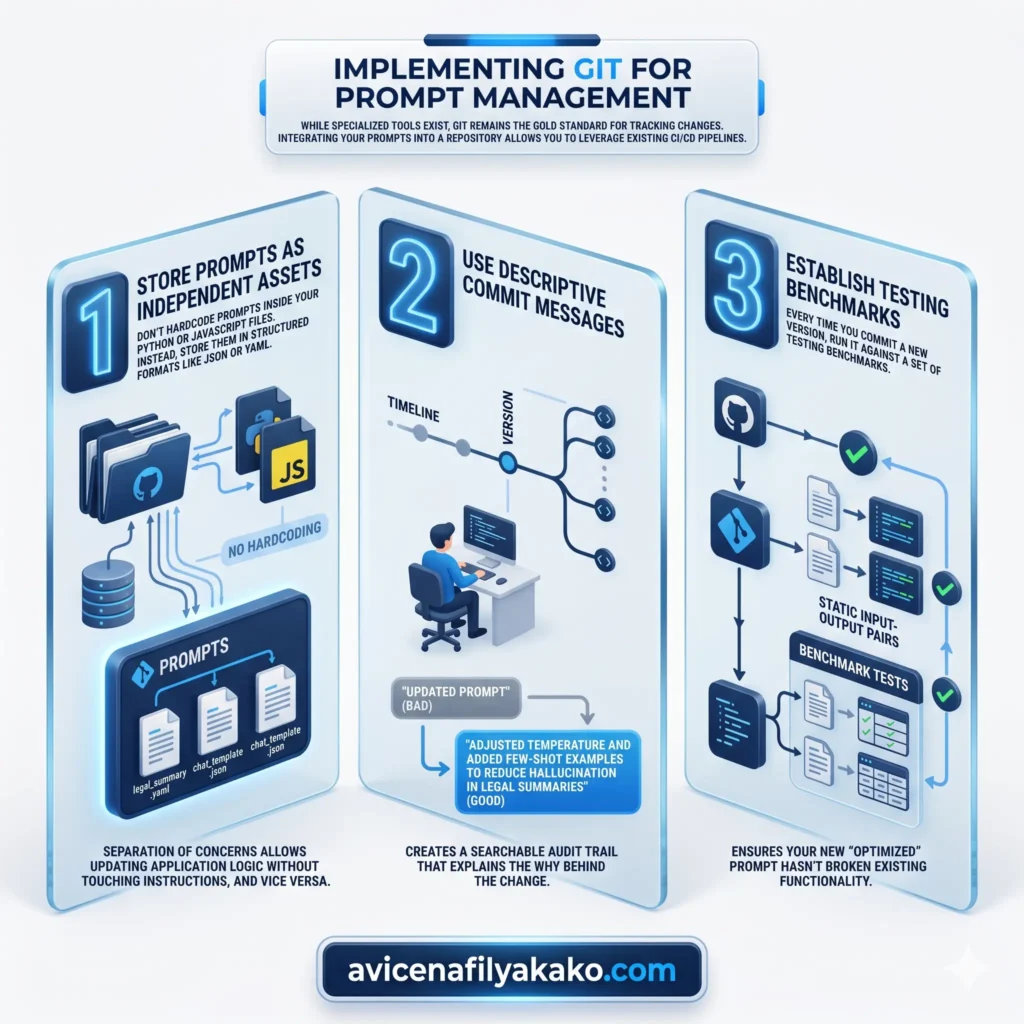
While specialized tools exist, Git remains the gold standard for tracking changes. Integrating your prompts into a repository allows you to leverage existing CI/CD pipelines.
1. Store Prompts as Independent Assets
Don’t hardcode prompts inside your Python or JavaScript files. Instead, store them in structured formats like JSON or YAML. This separation of concerns allows you to update the logic of your application without touching the instructions, and vice versa.
Beyond storage, organizing your library with a systematic taxonomy for deliberate prompting ensures that every versioned asset is easily searchable and contextually relevant.
2. Use Descriptive Commit Messages
Instead of “Updated prompt,” try “Adjusted temperature and added few-shot examples to reduce hallucination in legal summaries.” This creates a searchable audit trail that explains the why behind the change.
3. Establish Testing Benchmarks
Every time you commit a new version, run it against a set of testing benchmarks. These are static input-output pairs that ensure your new “optimized” prompt hasn’t broken existing functionality. This is particularly critical when dealing with complex logic, such as using recursive prompting for code refactoring, where a minor version drift can lead to infinite loops or broken syntax.
[!TIP] You can learn more about enterprise-grade management in this guide to managing prompts using the Vertex SDK.
Comparing Manual vs. Versioned Prompt Workflows
The difference between a manual workflow and a standardized version control approach is like the difference between writing on a chalkboard versus a digital document. One is ephemeral; the other is permanent and collaborative.
| Feature | Manual Management | Version Control (Git) |
|---|---|---|
| Traceability | None; history is lost. | Full history of every character change. |
| Collaboration | High risk of overwriting work. | Seamless branching and merging. |
| Rollback Speed | Slow (manual re-typing). | Instant (single command). |
Mastering Prompt Management and Deployment

Effective prompt management isn’t just about saving files; it’s about the lifecycle of the prompt. You need to know which version is in “Staging” and which is in “Production.”
Modern workflows often use “Prompt CMS” tools that act as a middle layer. These tools allow non-technical team members to edit prompts in a UI while the backend still uses version control to track the changes. This bridges the gap between creative writing and technical stability.
For a deeper dive into scaling these systems, check out these best practices for scalable LLM development.
Testing and Evaluation
Before a prompt version is promoted, it must pass through a “Golden Dataset.” Think of this as a final exam. If the new version scores lower on your testing benchmarks than the previous one, the deployment is blocked. This rigorous approach is what separates a “toy” AI from a production-ready tool.
To further automate this evaluation, you can implement self-querying prompt engineering techniques to let the AI audit its own versioned history for consistency before human review.
The Path to Scalable AI

Standardizing your version control isn’t just a technical hurdle; it’s a mindset shift. You are moving from “talking to a bot” to “engineering a system.” By using Git and maintaining strict testing benchmarks, you ensure that your AI remains an asset rather than a liability.
If you are ready to implement these strategies in production, explore how to version control and deploy prompts efficiently.
FAQ: Standardizing Prompt Control
What is the best way to version control prompts?
The best way is to store prompts in a dedicated Git repository as structured files (like .json or .yaml) rather than hardcoding them into your application logic. This allows you to track changes, collaborate through pull requests, and roll back to previous versions instantly.
Why should I use testing benchmarks for my prompts?
Testing benchmarks act as a quality control gate that ensures a new prompt version doesn’t degrade performance compared to the previous version. By running every update against a “Golden Dataset,” you prevent regressions and maintain a consistent user experience.
Can non-developers participate in prompt versioning?
Yes, non-developers can participate by using prompt management platforms that offer a user-friendly interface while syncing changes to a Git-based backend. This allows domain experts to refine the language while developers maintain the integrity of the code.
Disclaimer: The information provided in this article is for educational and general informational purposes only and should not be construed as professional advice (such as legal, medical, or financial). While the author strives to provide accurate and up-to-date information, no representations or warranties are made regarding its completeness or reliability. Any action you take based on this information is strictly at your own risk.
This article was authored by Avicena Fily A Kako, a Digital Entrepreneur & SEO Specialist using AI to scale business and finance projects.