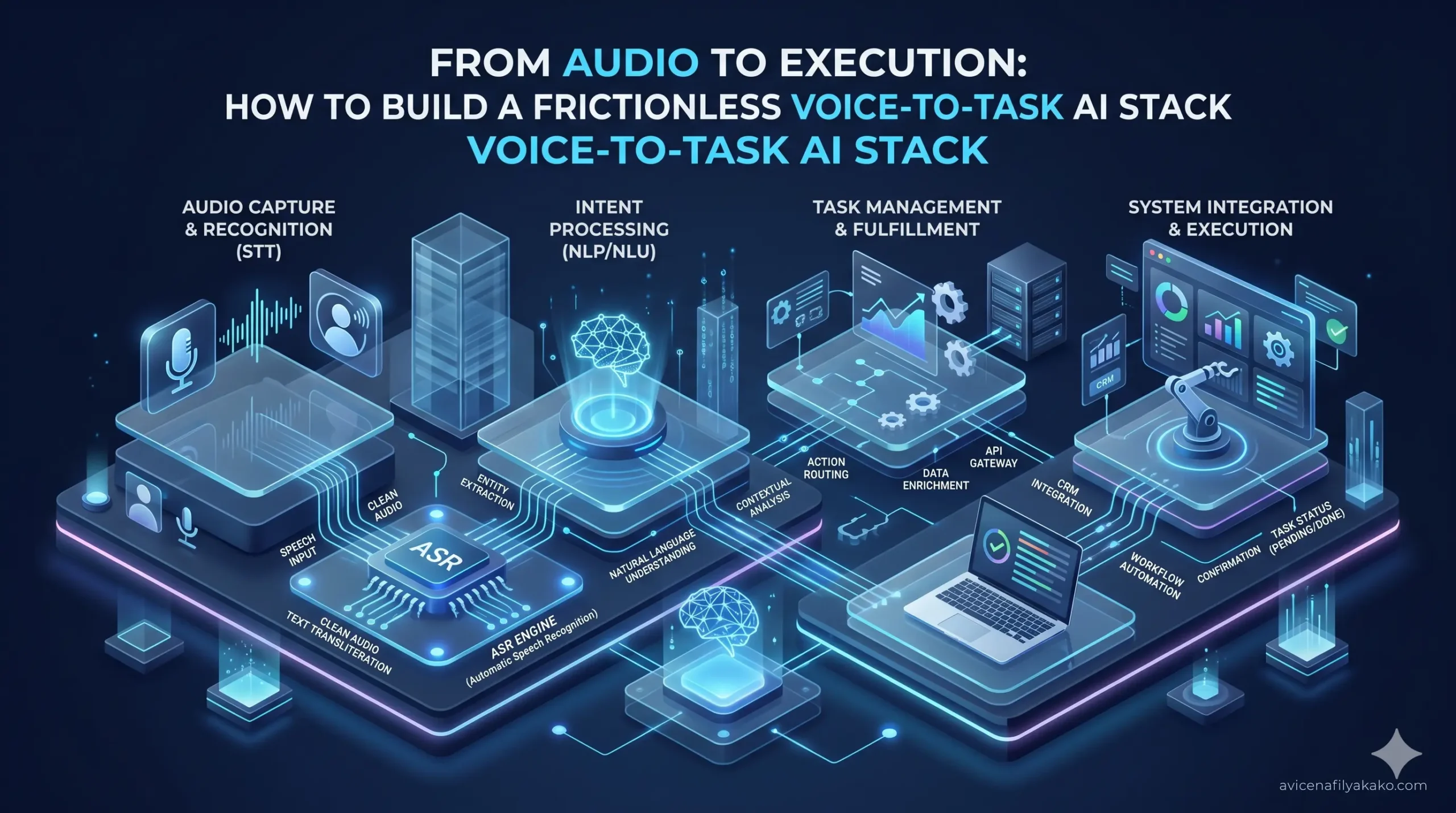
Most people use voice memos entirely wrong. They open a recording app, ramble for five minutes while walking to get coffee, and save an audio file labeled “Random Ideas.” That file goes into a digital graveyard, never to be opened again.
Traditional dictation tools only solve half the problem. They change acoustic waves into a wall of unformatted text, leaving you with a secondary chore: cleaning up your own stream-of-consciousness rambling.
To turn talking into execution, you need a dedicated Voice-to-Task pipeline. I spent months refining an automated productivity stack that moves from spoken words to structured project management tasks without manual copy-pasting. Here is the exact blueprint of how it works, the APIs required, and how to configure it.
The Structural Breakdown of the Voice Pipeline
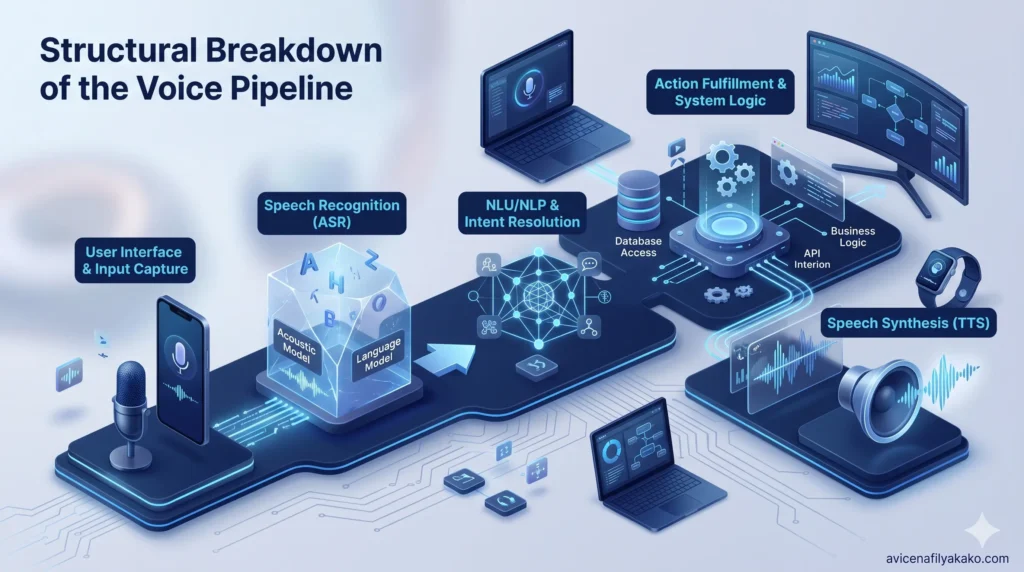
A highly functional voice stack requires three distinct layers: Capture, Structuring, and Routing. If any layer relies on manual human intervention, the system breaks down due to friction.
1. The Capture Layer
The capture layer must be accessible within one second. If you have to unlock your phone, find an app, open a folder, and click three buttons, you will not use it. The hardware trigger needs to capture raw audio cleanly, handle background environmental noise, and export a lightweight audio format like MP3 or M4A directly to a cloud listener.
2. The Structuring Layer
This is where standard speech-to-text tools fail. Raw speech is filled with false starts, vocal fillers (“um,” “like”), and circular thoughts. The structuring layer uses a Large Language Model (LLM) acting on a strict system prompt to strip out the garbage, isolate the intent, and format the output into clean markdown headers, bullet points, and action items.
3. The Routing Layer
Once the text is structured, it must move automatically. Webhooks or API integrations push the structured markdown directly into your task manager (such as Notion, Obsidian, or Todoist) as a new, tagged entry. Whether you want to build this infrastructure using visual automation platforms or hardcode it yourself, evaluating the trade-offs of a personal AI assistant built via Python vs. No-Code ecosystems will help you choose the right architectural foundation for your technical skill level.
The Technical Infrastructure: Whisper API vs. Local Processing
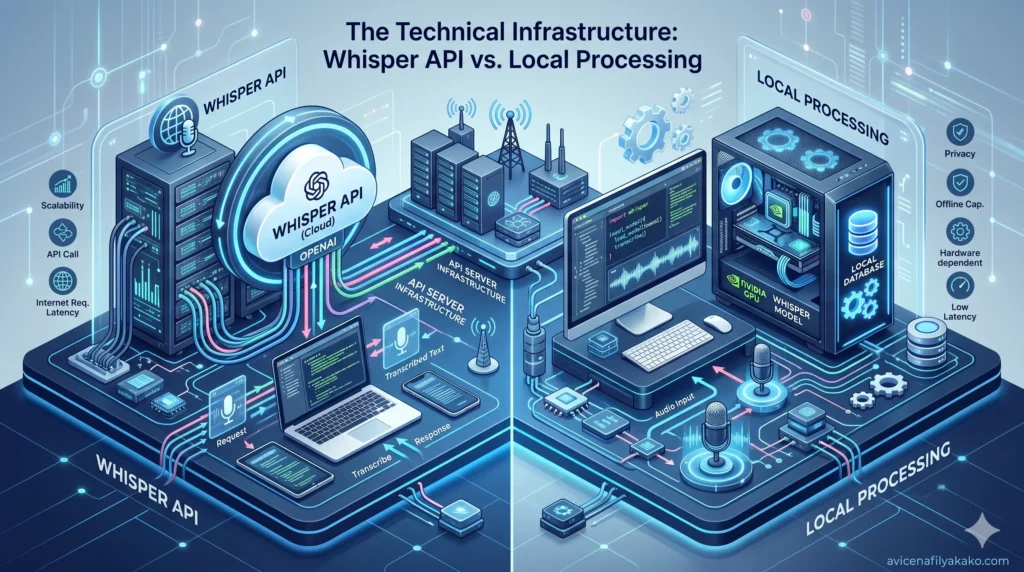
When building your stack, the primary technical decision rests on where your audio processing occurs. For cloud-based setups, using an API built on OpenAI’s Whisper model provides the highest accuracy across varying accents and noisy environments.
A 2023 technical analysis by OpenAI demonstrated that Whisper’s sequence-to-sequence architecture trained on 680,000 hours of multilingual data reduces word error rates significantly compared to legacy engines, particularly in non-English languages.
Alternatively, running local models on an iPhone or Mac via optimized frameworks like Whisper.cpp offers total privacy and zero API costs, though it drains device battery faster during long files.
| Feature Category | Cloud API (Whisper / Specialized Engines) | Local Processing (Whisper.cpp / On-Device) |
|---|---|---|
| Processing Latency | Low (Dependent on network speed) | Variable (Dependent on device hardware) |
| Privacy / Security | Third-party data handling | 100% Local, offline execution |
| Battery Impact | Negligible (Server-side compute) | Moderate to High (Heavy CPU/GPU utilization) |
| Cost Structure | Pay-per-minute or subscription | Free open-source deployment |
For individuals looking for pre-built consumer applications that abstract away the API stitching, platforms listed on marketplaces like the hypertools collection of voice tools offer turnkey integrations. For custom infrastructure, connecting Webhooks via Make or Zapier provides total control over your target databases.
Step-by-Step Configuration for True Task Automation
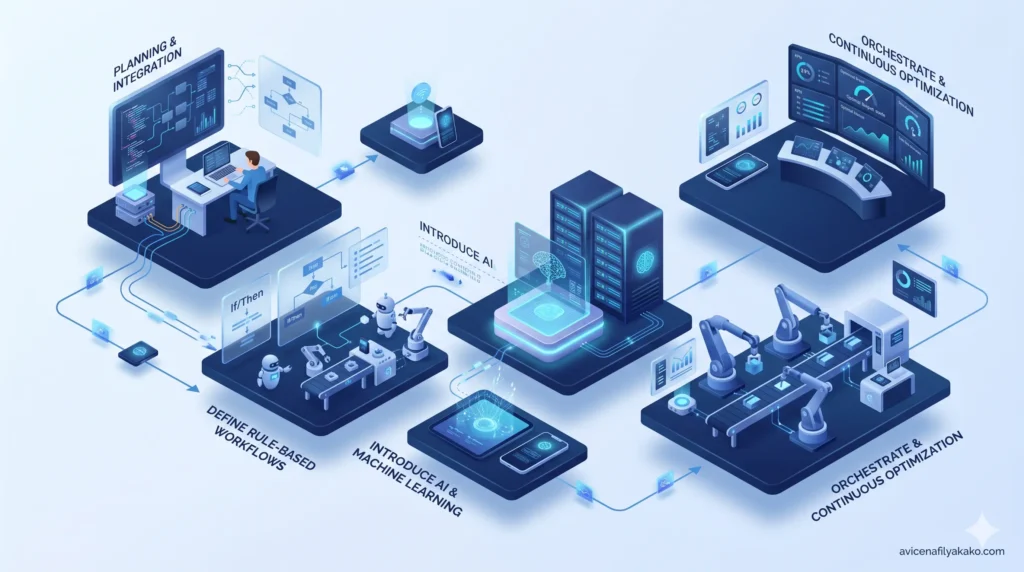
To achieve a seamless Voice-to-Task workflow, follow this engineering logic to connect your audio input to your task repository.
Step 1: Establish the Quick-Capture Trigger
On iOS, map the physical Action Button or a Home Screen widget to a custom Shortcut. This shortcut must:
- Record audio in Mono format (to keep file sizes small).
- Stop recording on a second tap.
- Automatically save the file to a designated folder in iCloud Drive or send it via an HTTP POST request to a webhook.
Step 2: Write the System Prompt for Parsing
The transcription must pass through an LLM to become useful. Send the raw text transcript to an API engine (like GPT-4o or Claude 3.5 Sonnet) using a strict system prompt.
Avoid generic prompts like “summarize this.” Use a structured prompt design instead:
Step 3: API Routing to the Task Manager
The structured output from Step 2 is pushed via an API payload into your workspace. For example, if you use Notion, configure the integration to create a new page inside your “Inbox” database. The title generated by the LLM becomes the page name, and the structured markdown fills the page body.
Reviewing workflows detailed by independent productivity practitioners on platforms like the wisprflow efficiency analysis shows that separating your input “Inbox” from your active “To-Do List” prevents voice clutter from overwhelming your daily schedule. Spend five minutes every evening triaging your voice inbox. This exact triage concept can also be scaled beyond voice notes; you can easily expand this system to handle incoming correspondence by learning how to achieve zero inbox with an AI email intent sorting pipeline to automatically flag critical tasks.
Overcoming Edge Cases in Voice Transcription
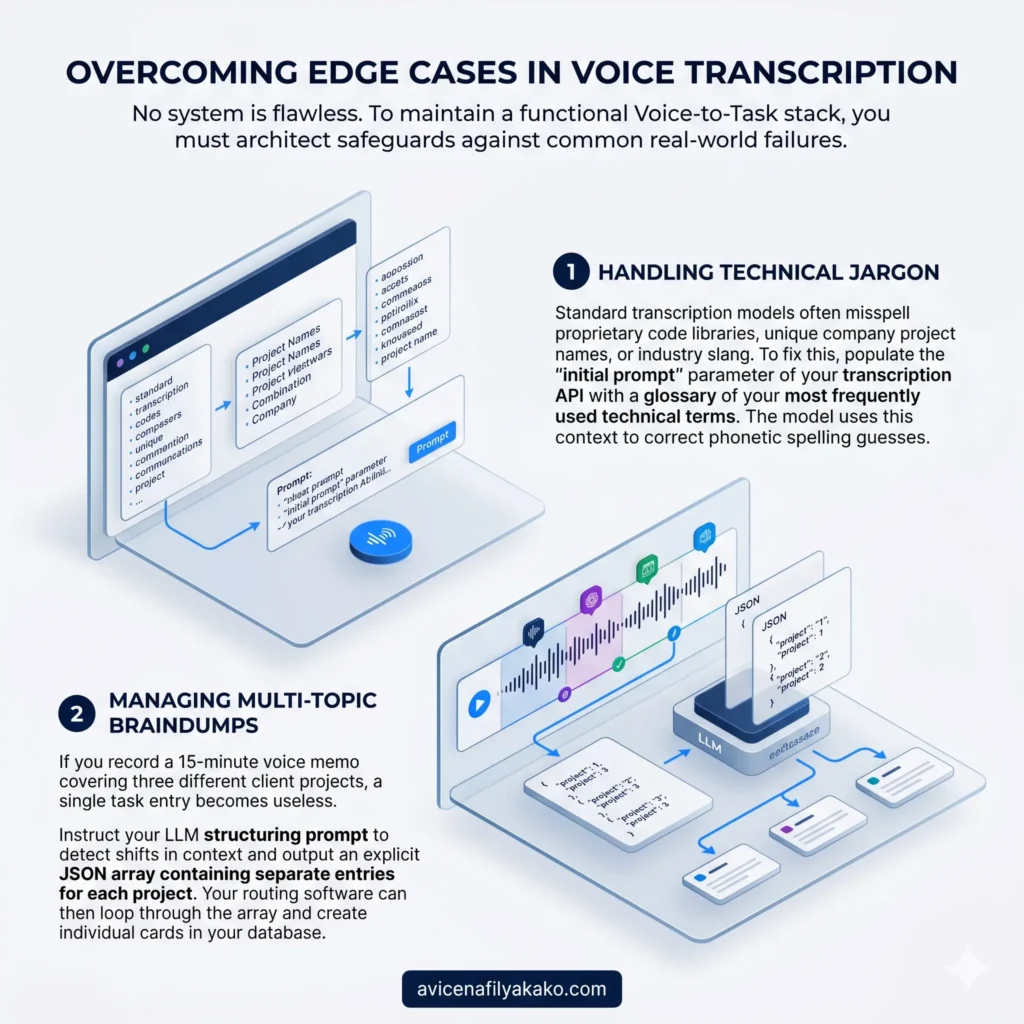
No system is flawless. To maintain a functional Voice-to-Task stack, you must architect safeguards against common real-world failures.
- Handling Technical Jargon: Standard transcription models often misspell proprietary code libraries, unique company project names, or industry slang. To fix this, populate the “initial prompt” parameter of your transcription API with a glossary of your most frequently used technical terms. The model uses this context to correct phonetic spelling guesses.
- Managing Multi-Topic Braindumps: If you record a 15-minute voice memo covering three different client projects, a single task entry becomes useless. Instruct your LLM structuring prompt to detect shifts in context and output an explicit JSON array containing separate entries for each project. Your routing software can then loop through the array and create individual cards in your database.
Frequently Asked Questions
What is the most accurate AI voice transcription tool?
OpenAI’s Whisper API and platforms built directly on top of its large model variant currently lead the market in accuracy and accent recognition. It outperforms traditional algorithmic speech-to-text engines by leveraging massive contextual datasets to predict words based on surrounding sentence context rather than just acoustic sounds.
How do I turn voice recordings into text automatically?
You can automate this by setting up an iOS Shortcut or Android automation script that triggers an audio recording and saves the file directly to a cloud folder. From there, a platform like Make.com or Zapier monitors the folder, sends the file to a transcription API, and outputs the text to your destination application.
Can AI extract action items directly from an audio file?
Yes, but it requires a two-step prompt processing chain rather than just transcription alone. First, an audio intelligence model converts the sound file into raw text, and second, a large language model parses that text block to isolate action verbs, assign priorities, and strip out conversational filler.
Building an enterprise-grade voice workflow requires viewing dictation as a data ingestion pipeline rather than a simple recording tool. Prioritize zero-friction capture mechanics so your hands never have to navigate deep menus while your mind is focused on an idea. Ensure your LLM parsing prompts enforce strict markdown formatting structures, isolating actionable vectors from standard conceptual thoughts. Finally, always route your newly created tasks to an intermediate processing inbox rather than your active daily schedule to ensure you retain human oversight over automated task creation.
Disclaimer: The information provided in this article is for educational and general informational purposes only and should not be construed as professional advice (such as legal, medical, or financial). While the author strives to provide accurate and up-to-date information, no representations or warranties are made regarding its completeness or reliability. Any action you take based on this information is strictly at your own risk.